



Requesting a Business Review through Salesforce is simple. With a few clicks, you can add the required account information and engage the Business Review team to assist you in creating a professional presentation for your client meeting.
To get started, locate the account you are requesting a Business Review for in Salesforce. On the Accounts Page, click the “New Business Review” button on the top-right side of the page.

Enter the required information shown below and click submit.
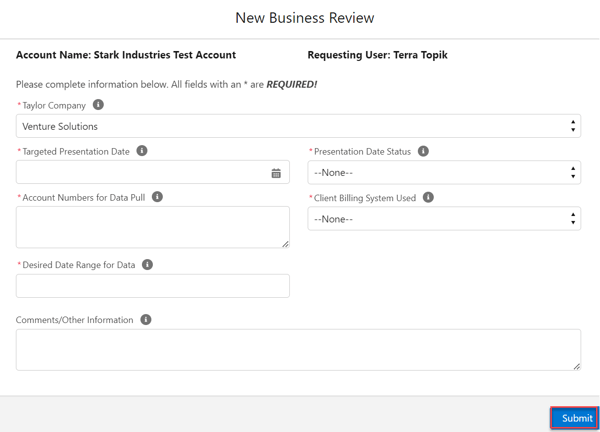
It’s that easy! Once the request is submitted, a member of the Business Review team will reach out to coordinate the Business Review presentation with you.
Things to keep in mind: